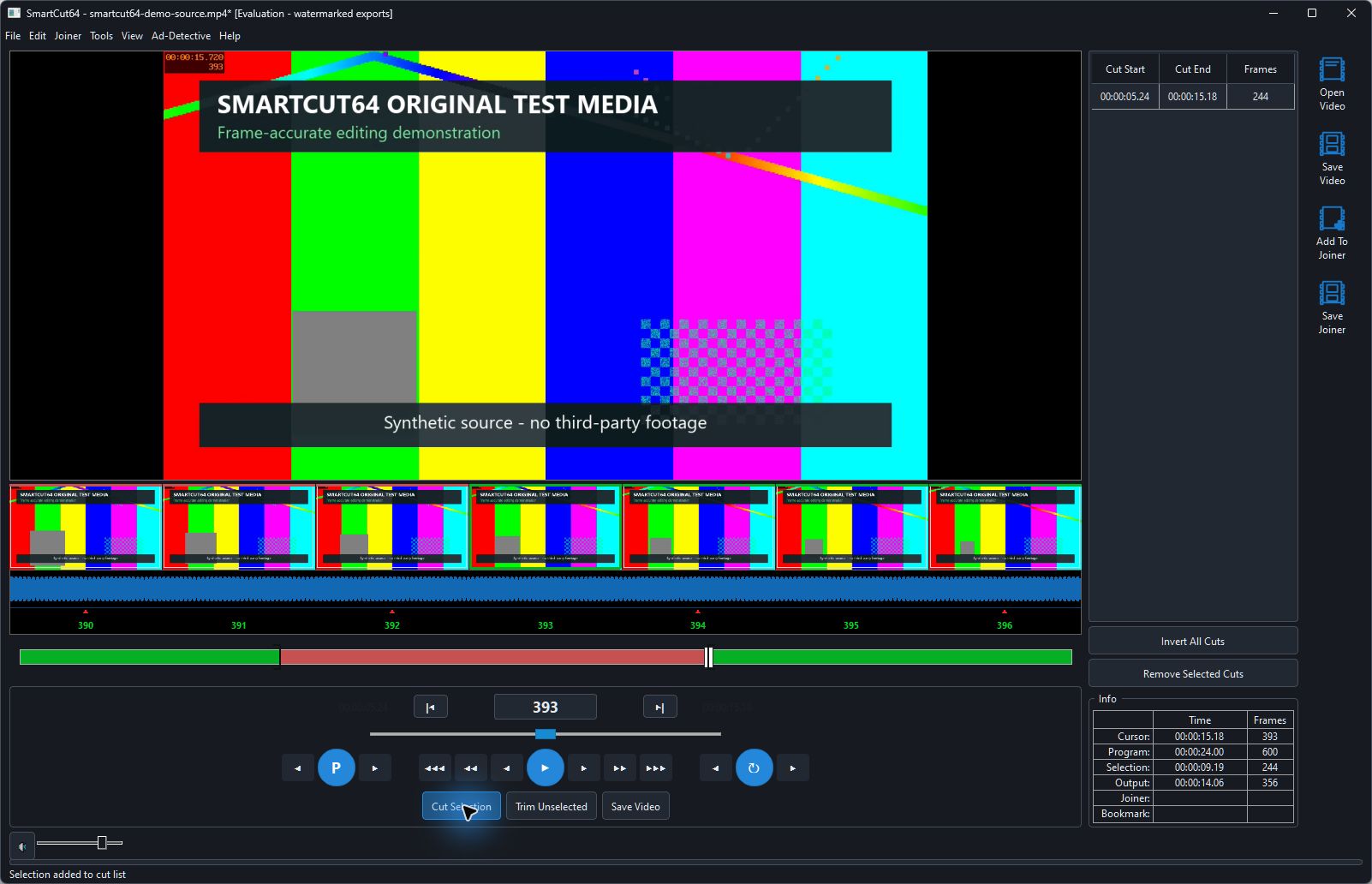
Set one active range
Mark In (F3) identifies the first selected frame. Mark Out (F4) identifies the first frame after the selection. Setting either point again replaces that point, so only one pair of active bracket markers is shown.
Choose what the selection means
- Cut Selection (Delete) removes the marked range.
- Trim Unselected (Insert) keeps the marked range and removes everything outside it.
- Invert All Cuts swaps kept and removed regions across the complete program.
- Remove Selected Cuts deletes highlighted cut-list entries without deleting source media.
Review and revise
Click a cut-list row to select it and use the navigation commands to inspect its boundaries. Undo and Redo preserve the ordered edit history. Save a project when you need to retain the edit without exporting video.