Switch views
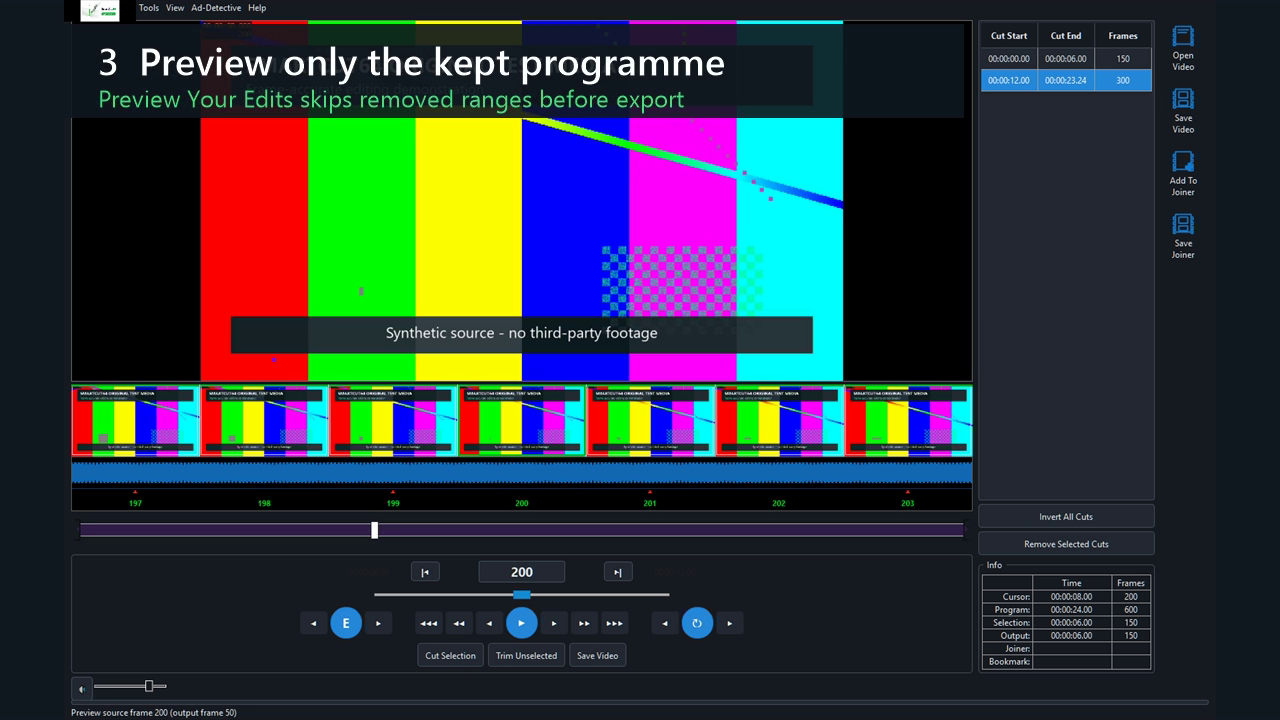
Press P or the blue P/E control. Edit mode exposes the complete source and colours kept/removed ranges green and red. Preview Your Edits removes cut frames from navigation and uses the preview timeline colour to show that positions now refer to output order.
What changes in Preview mode
- Playback skips each removed range and continues on the first kept frame after it.
- Audio follows the same kept sequence rather than continuing through a hidden cut.
- Thumbnails and frame controls map to adjacent kept output positions.
- The Info panel shows source cursor and calculated output quantities separately.
Boundary expectations
The preview uses decoded source frames; it does not render the final encoded boundary GOP in real time. Optional final output validation adds technical checks; review the finished edit for picture quality and sound synchronization.
Note
If playback pauses at a boundary, run the current build, force software decode for that codec, and collect the log plus exact cut frames for support.