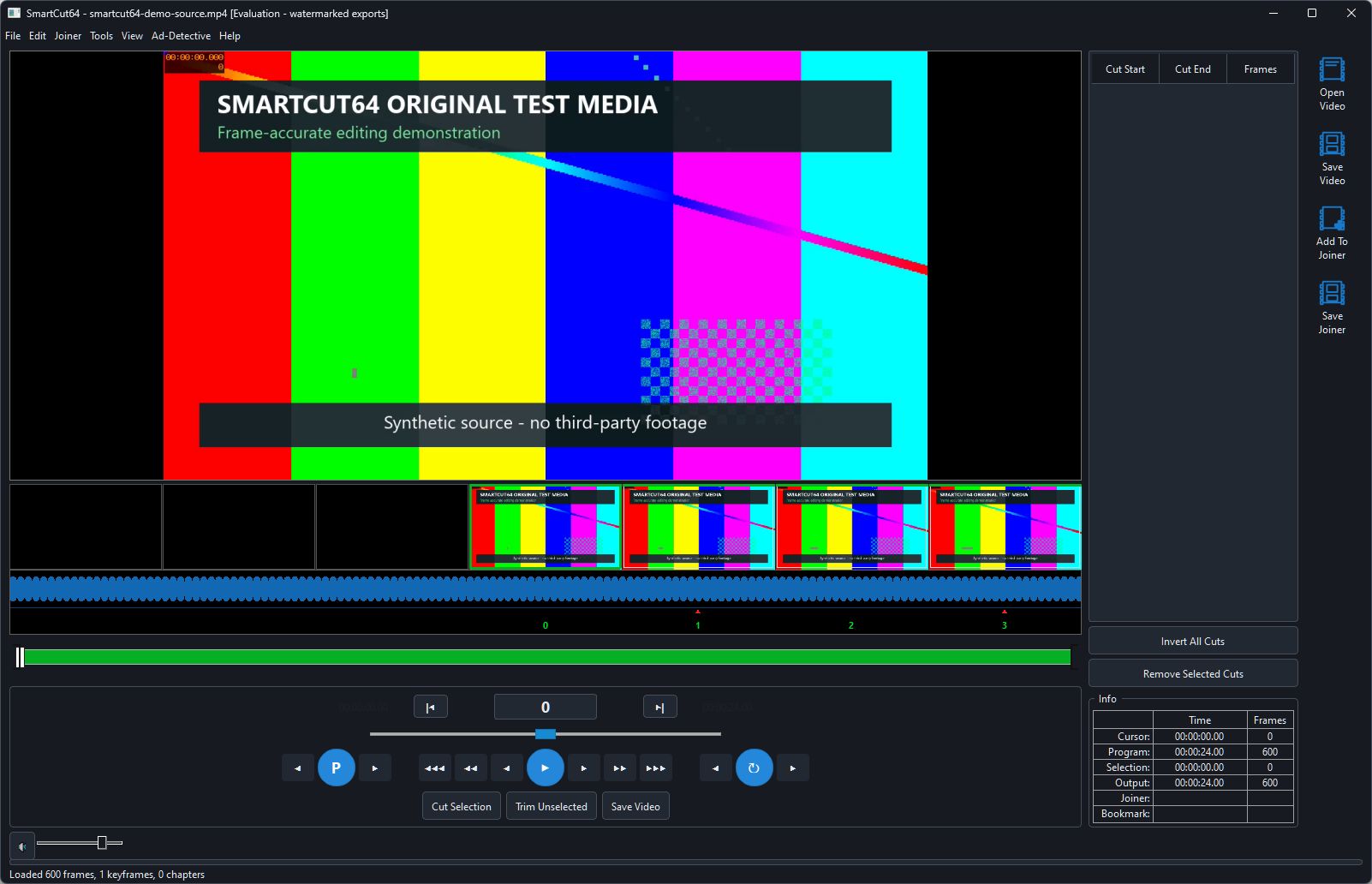
Choose the right control
- Drag or click the program timeline for coarse movement across the source.
- Use the fine-position slider for controlled movement around the current location.
- Use Left/Right or the adjacent-frame buttons for exact display-order frames.
- Use Ctrl+Left/Ctrl+Right for previous/next random-access point.
- Use Shift+Left/Shift+Right for the previous/next decoded I or IDR picture. The first jump may analyse frame types in the background. An I picture does not guarantee a safe copy-only boundary.
- Use configurable short and long jumps with Up/Down and Page Up/Page Down.
Direct destinations
Edit > Go To Timecode accepts a precise program location. Other Edit commands move to selection, program or bookmark boundaries. F5/F6 and the chapter controls move through chapter marks.
Edit versus Preview mapping
Edit mode positions are source frames and can enter removed ranges. Preview Your Edits maps the same controls onto output order; removed frames do not exist in that view. The Info panel distinguishes cursor, program and output quantities.