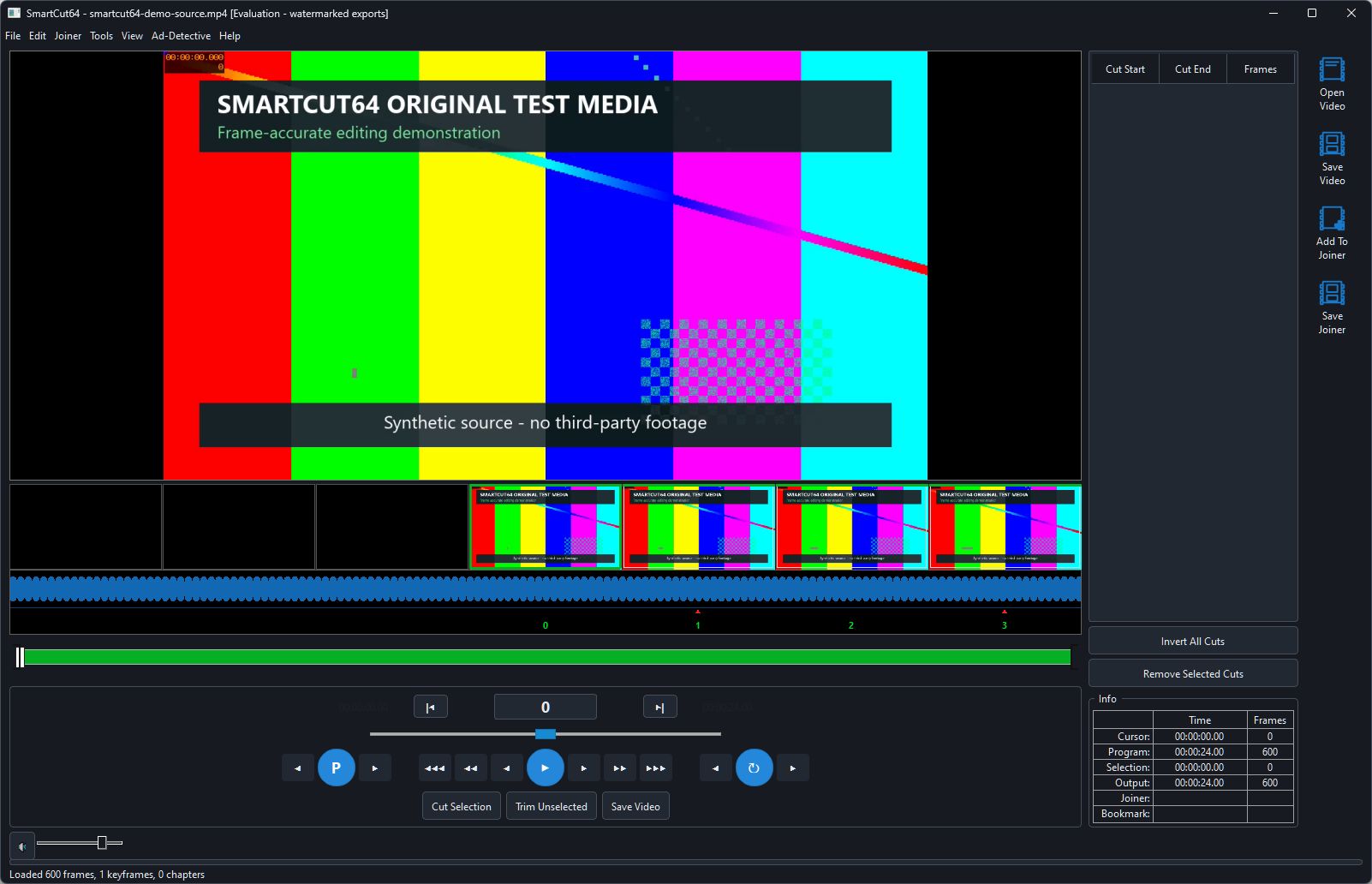
Picture and frame context
- The preview displays the current source frame in Edit mode or the mapped kept frame in Preview mode.
- The thumbnail strip shows adjacent display-order frames. The selected frame remains centred, with black inactive cells outside the source limits.
- The waveform is decoded from the selected audio stream. Its default logarithmic dB view makes quieter passages visible.
- The ruler beneath the waveform identifies exact source frames and chapter markers.
Edit state
- Green timeline regions will be kept; red regions will be removed. In Preview mode the mapped program timeline is blue/purple because cut frames are absent from navigation.
- White bracket-style marks define the current In/Out selection. The white playhead identifies the current position.
- The cut list at right displays each removed range and its frame count. The Info panel reports cursor, program, selection and predicted output lengths.
Controls and resizing
The lower transport area provides single-frame, random-access, short-jump, long-jump, play/pause, Edit/Preview and chapter controls. The preview and thumbnail count adapt when the window is resized, preserving source aspect ratio.