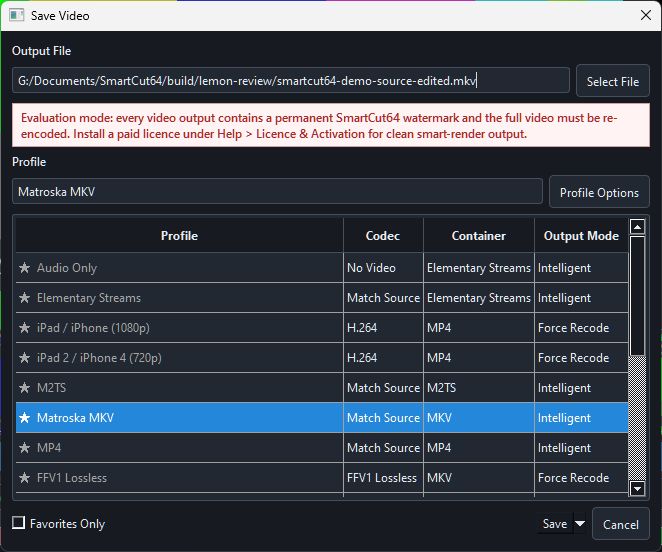
Output file
Select a new path and extension. SmartCut64 writes to a temporary destination and replaces the requested output only after delivery and any requested validation succeed. The source itself is never a valid destination.
Profile and mode
The list shows profile name, video codec policy, container and output mode. Profile Options opens the editable detail. Favorites Only narrows the list without deleting profiles.
Resolve incompatibilities before saving
When a source track cannot be written to the chosen container, SmartCut64 describes the conflict and offers a compatible container, exclusion or supported transcode. Choose deliberately; renaming .mkv to .m2ts does not convert its streams.
Evaluation notice
In evaluation mode the dialog states that video outputs are permanently watermarked and fully re-encoded. Activate the product for clean packet-copy and smart-render output.